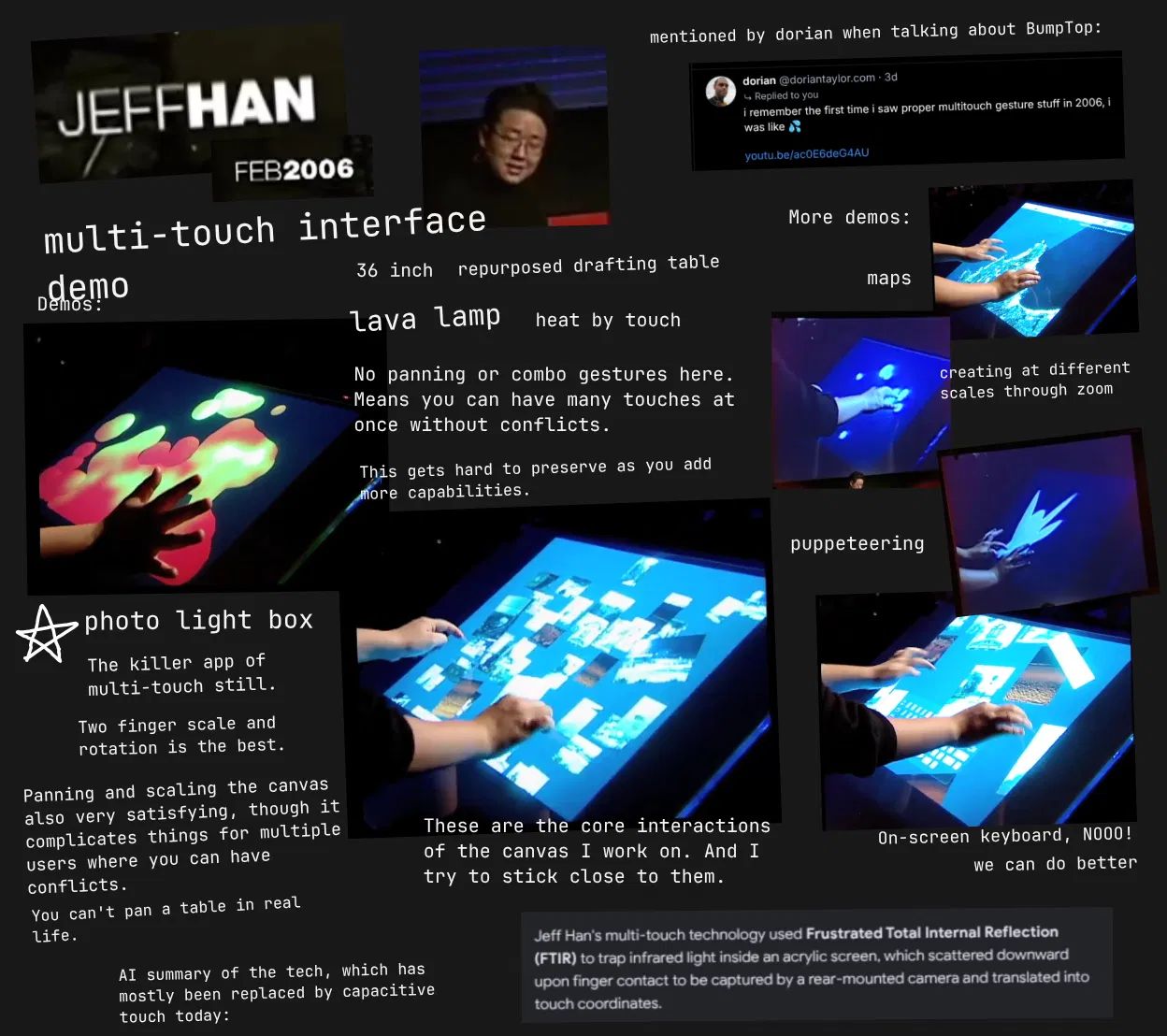
Collage of my thoughts on a 2006 demo of multi-touch interface design as mentioned by @doriantaylor.com. The core of it holds up well!
Behind the scenes of making a collage of a video on my tabletop setup:
Collage of my thoughts on a 2006 demo of multi-touch interface design as mentioned by @doriantaylor.com. The core of it holds up well!
Behind the scenes of making a collage of a video on my tabletop setup:
Collage of my thoughts on the "Held Quasimode" interface pattern (AKA the body holds the state).
From interfacelineage.com/quasimodes-h...
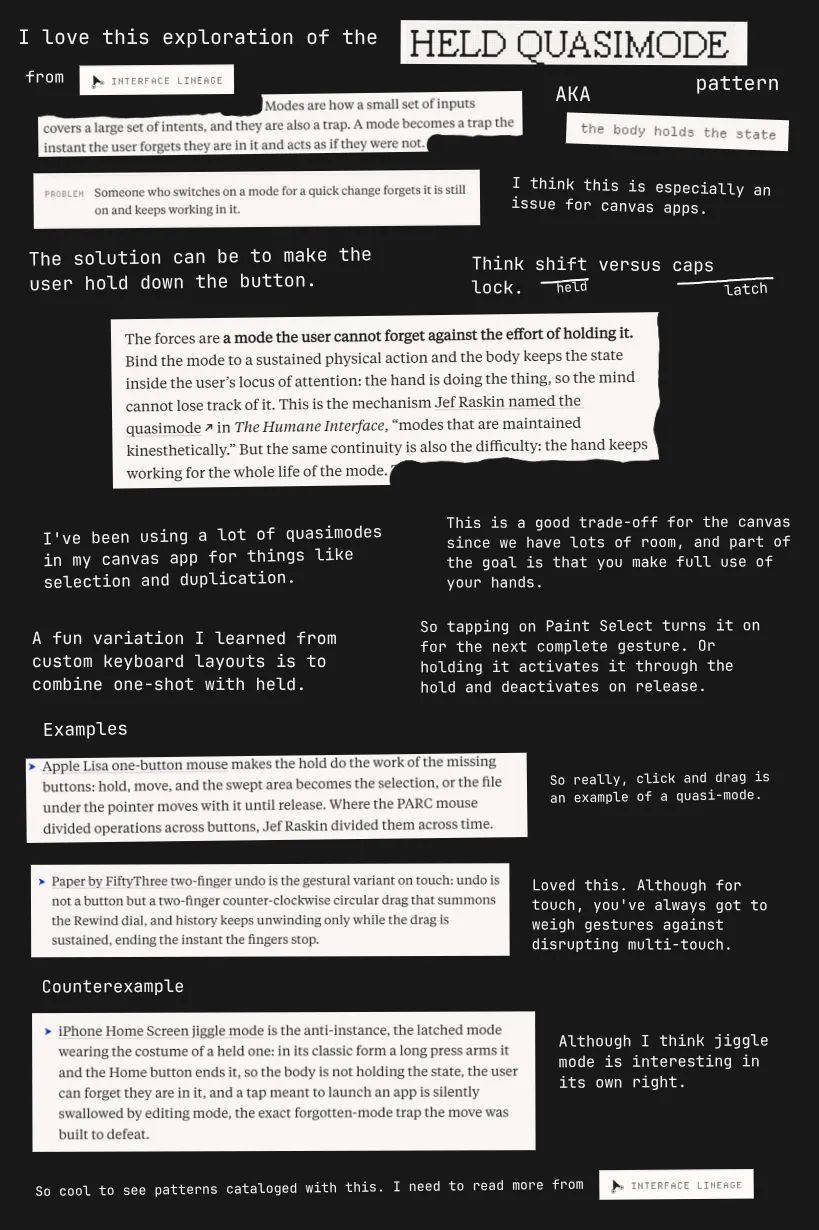
The one place I'm still unhappy with my current setup on the canvas is draw mode. Where drawing is a completely separate latch mode. I can imagine a "press to activate" draw mode working, but the real issue would be how I group together strokes. Right now exit serves as signal for what to group.
Maybe time and proximity thresholds would be enough...
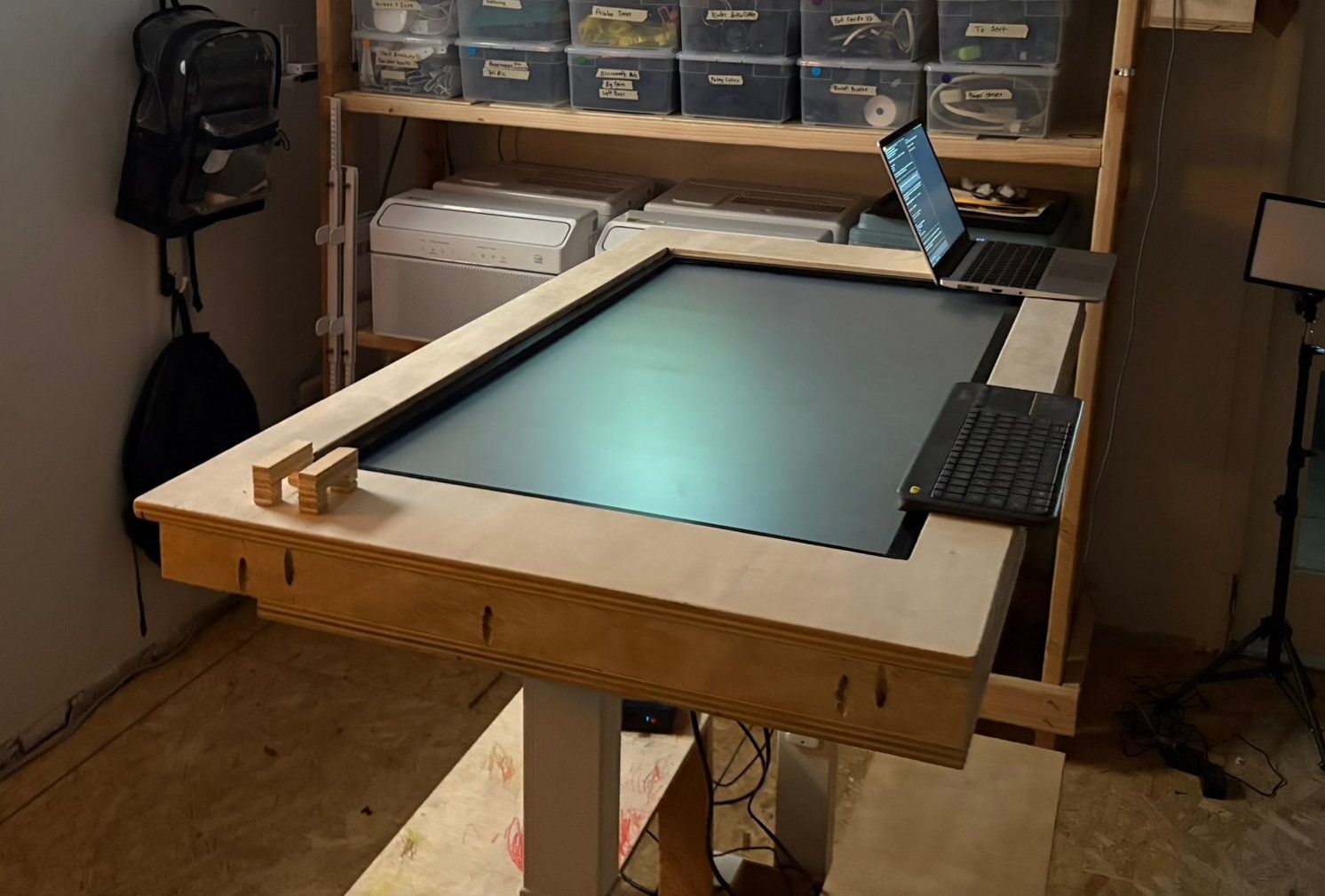
The surface is a stack of: plywood panel supports, TV, plexiglass, screen protector, IR touch frame and plywood frame. Watch the build video on Youtube or check out software demos.
The touch frame is inset inside of the TV. This allowed me to get a flush surface, where when I used a 43" TV the touch frame had to sit on the bezels, some of which stood out more than others, making things uneven. Insetting has worked well for me but it does make it a more complicated process. The easiest setup would be a 43" TV with wide, flush bezels but I haven't tracked that down yet.
I got the touch frame first and it's big enough I can't yet justify upgrading to a bigger one, but if I was starting fresh I might try something even bigger. Similarly IR touch is much cheaper than capacitive and works well, but it does detect touches a bit above the surface, which is mostly an issue for me when writing on it, because I think I don't pick up my finger as much between letters. If I stick with my overall setup I think I'll try a capacitive touch overlay sometime.
Touch frames are generally plug-and-play. That I inset this one does mean I had to adjust both the display and the touch mapping to be only a portion of the screen. This was very doable on Linux with the window manager Niri, and I imagine there are ways to do it across OSes, but it's something to be aware of. Again here a size match between the TV and frame would make this simpler.
My highlights from the maintenance chapter of How Buildings Learn:
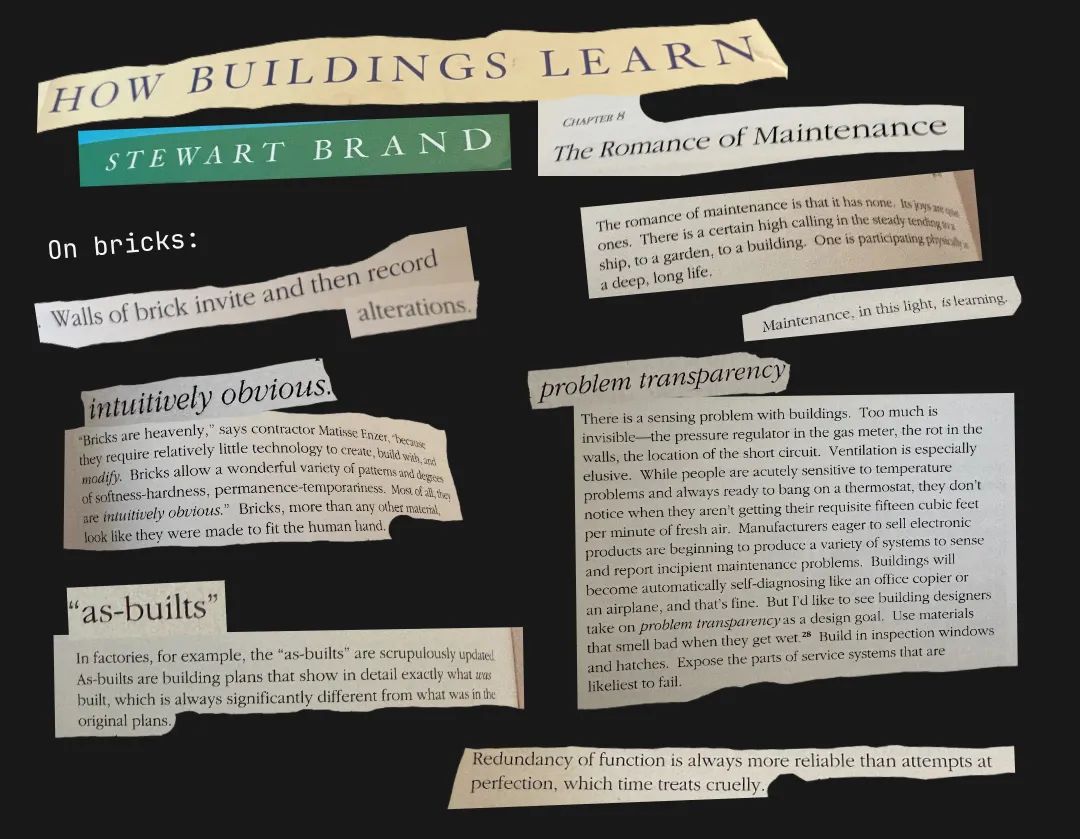
Put this one together from phone snapshots. I kind of like the page bend distortions but it was very fiddly to get the masks in place. Maybe next time I'll just try and take slightly less distorted shots.
Experimenting with how a browser should work in my tabletop canvas:
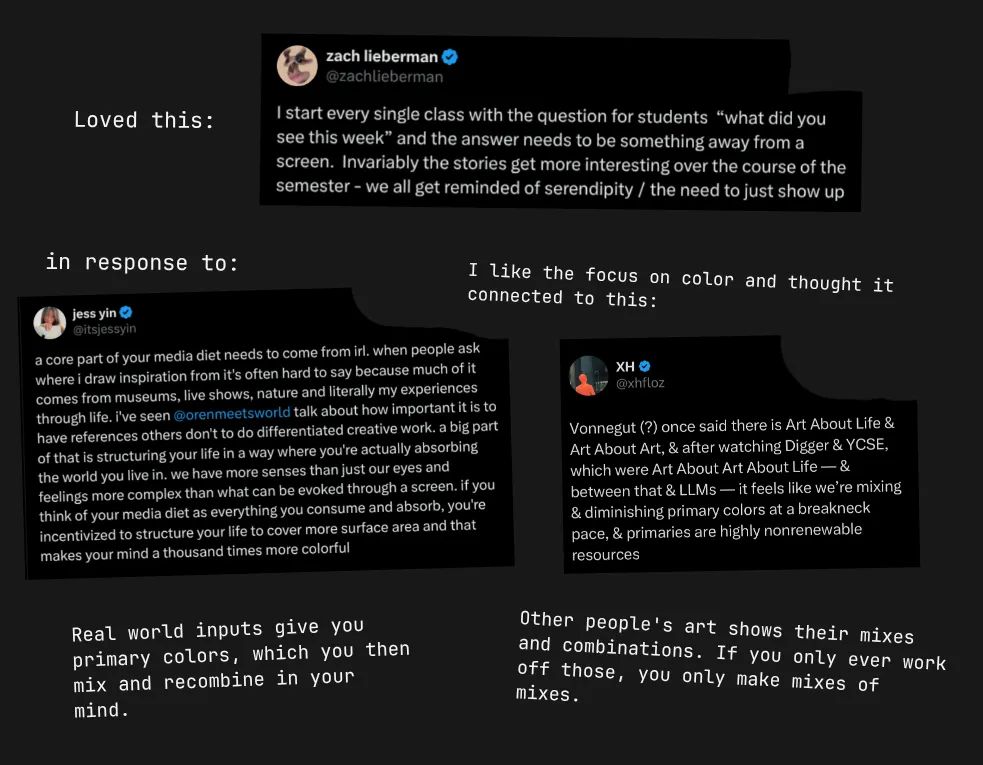
Inspiration and primary colors:
Collage and commentary for After Work We'll Have Each Other
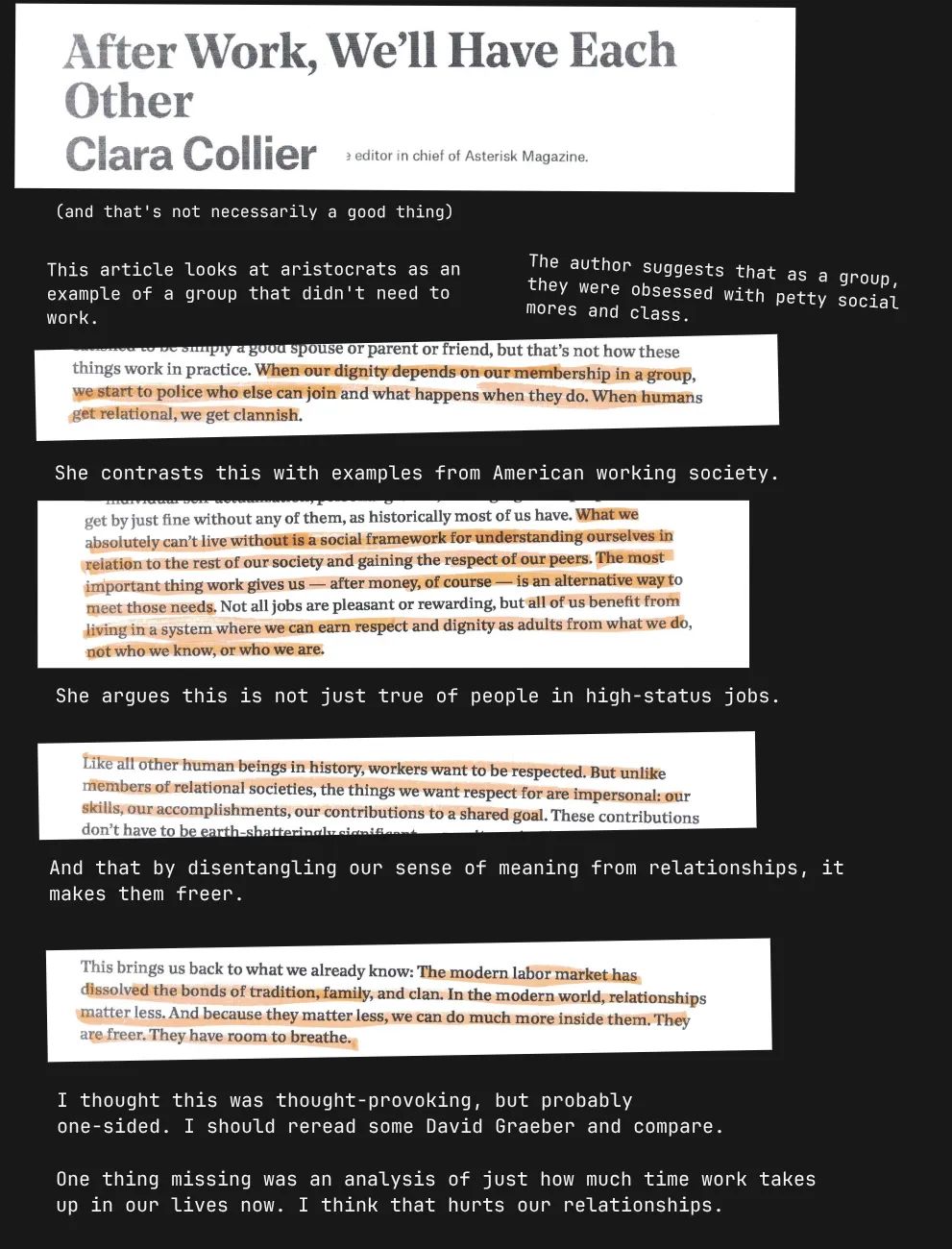
Behind the scenes this was the first article I'd done on the tabletop with a workflow of printing, highlighting, scanning. Will try more. Also experimenting more with adding commentary (which I dictate, then adjust/move around).
Nesting canvases on the tabletop using collage covers:
I'd love to come up with something more elegant for going back up to the parent (currently it's just a pinned square next to the cover area). Breadcrumbs feel like it'd be kind of giving up on the canvas...
Collage made from Maggie Appleton's "Planning with Agents" talk/essay:
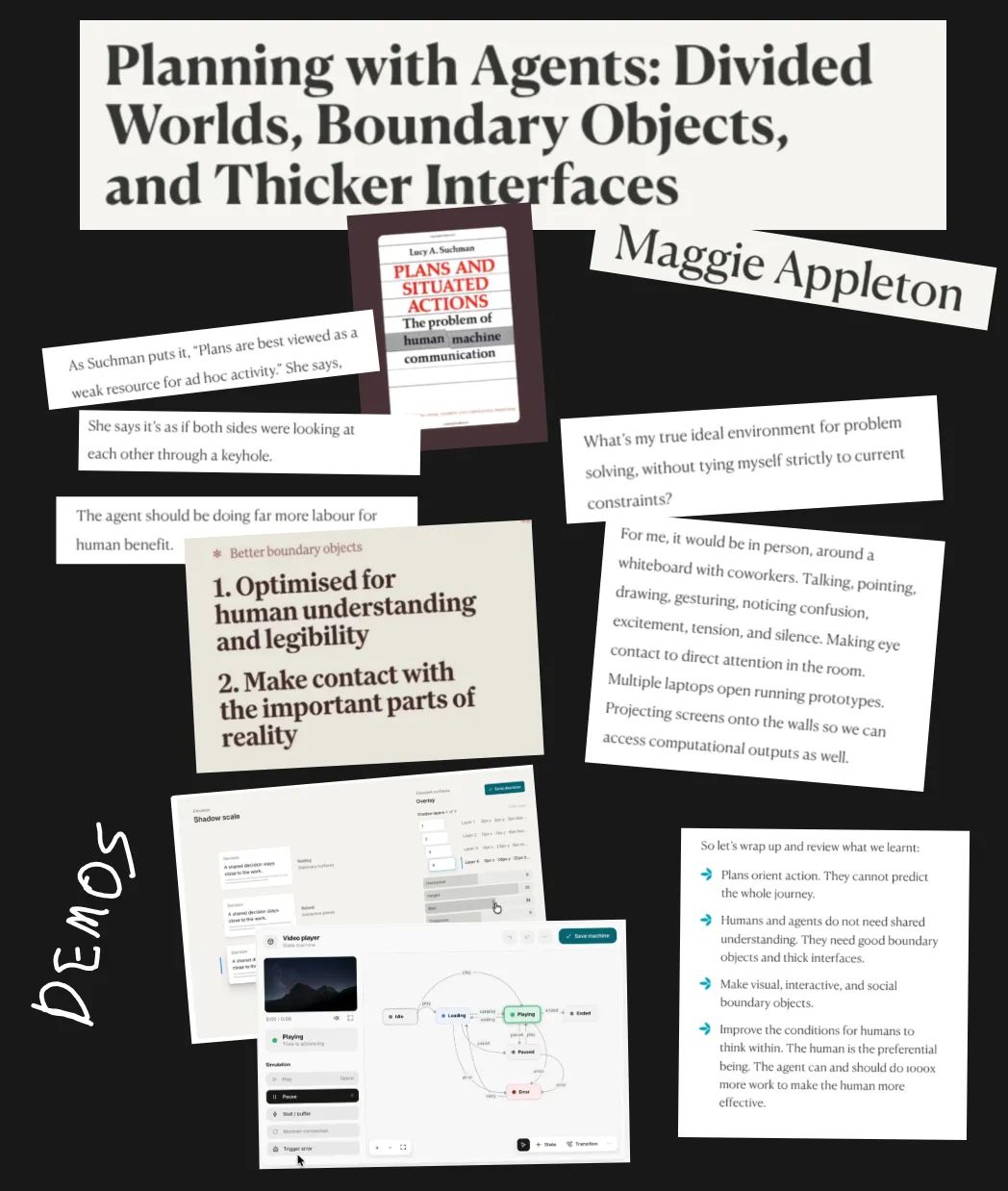
Behind the scenes of making the collage on the tabletop:
Original essay from maggieappleton.com/planning-age...
The Computer for the 21st Century collage inspired by an @andymatuschak.org reference.
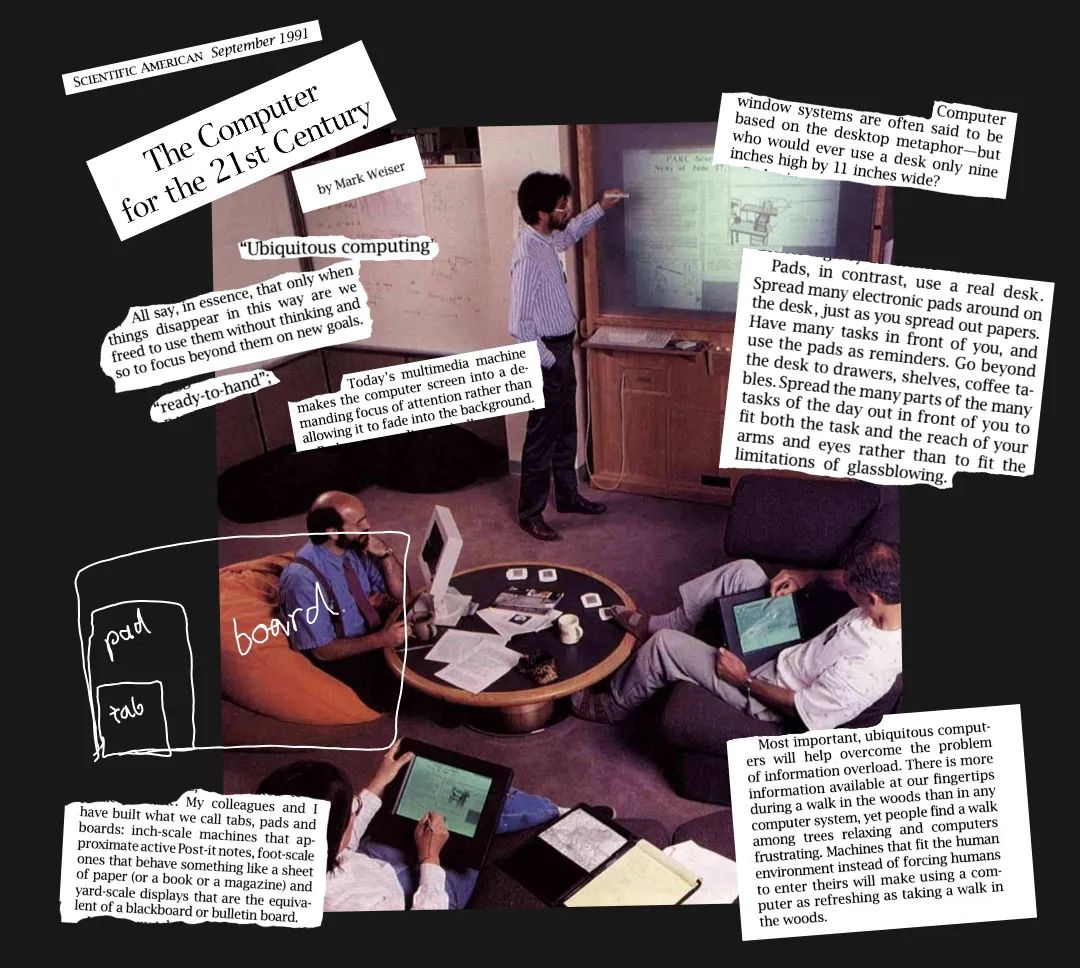
(putting my digital collage setup through its paces)
Behind the scenes of making an article collage:
Collaging from a platform into the tabletop:
I want to combine this with screenshot sources, thinking of a physical + digital scrapbook page.
Using the digital tabletop with a smart TV to make ad hoc ambient dashboards:
Platform tracking on the tabletop:
Calibration still a work in progress - between mapping the camera to screen and the large touch targets of the pegs I'm using to hold the platforms up it turns out to be tricky. Could always capture more and make recrop easy but would love to dial it in.
Touch-based dynamic camera cropping on the tabletop:
Drones on the digital tabletop:
Working on a tabletop collage app, and enjoying this "write to navigate" experience.
Thinking about the role of decoration on the tabletop:
Exploring Andrew Sutherland's paper computer demo (t.co/gkV0f6zS4l) on the tabletop:
Getting (pictures of) books into the digital tabletop.
"Couldn't you just use the overhead camera taking the video?" you might ask - and i tried/did do this for a while but nice to have the simplicity (and resolution) of one you can adjust directly.
Exploring the 10/GUI demo video and multi-touch possibilities on the tabletop: